6 Checks Before Clearing Zendesk’s Needs Verification Queue
Review articles in Zendesk’s Needs Verification queue, confirm who can verify them, and leave unresolved articles visible.
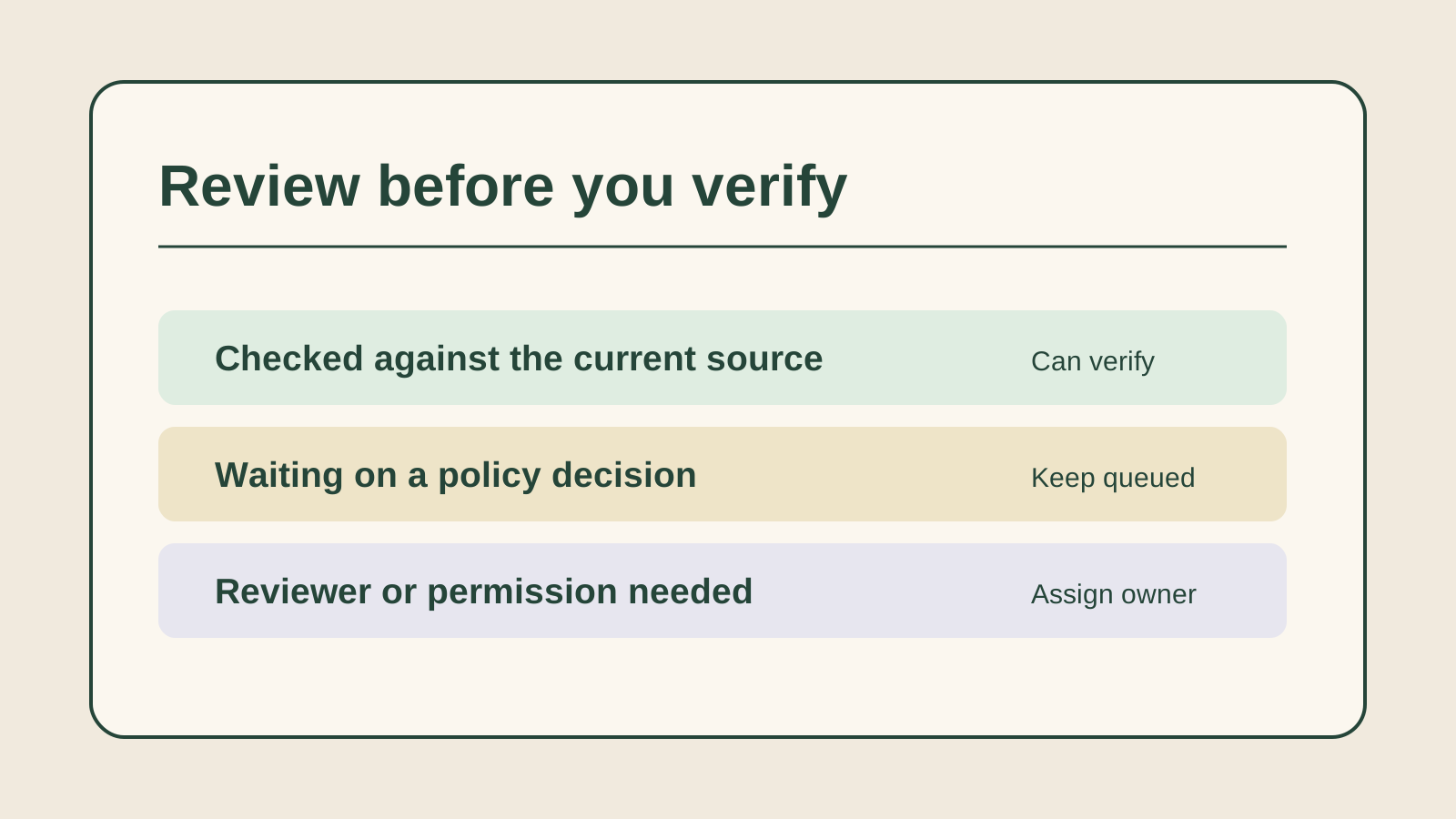
When several internal articles need verification, first sort the items that have already been checked from the ones that still need facts or permission. These six checks help a knowledge manager decide which Zendesk articles can leave the queue and which need another owner.1
The short answer
Before clearing the queue, find the exact article, confirm who can check its facts and run through the current instructions. Verify articles only after changes and open questions are resolved. Check which items left the queue and give the rest a clear owner.
1. Find the exact article and why it needs review
- When it helps
- When the list contains old reminders and recent manual flags.
Name the article, audience and reason it entered the queue.
Zendesk can flag an article through a reminder rule or a manual action. Check the article and any internal note that explains the flag. If the reason is unclear, confirm with the team that owns the process before treating the item as a routine freshness check.2
Review notes
- What to watch
- The queue status asks for review, while the trigger may tell you what evidence to find.
2. Confirm who can check the facts and who can verify
- When it helps
- When the old owner left the team or a policy expert needs to check a change.
Give each article a reviewer and an authorized verifier.
Zendesk lets permitted article owners and agents verify in the article editor, and Knowledge admins can verify through the admin list or editor. If a policy owner needs to check the facts first, record that handoff and a due date. Keep the article queued until the review is complete.1
Review notes
- What to watch
- A person may know the policy without having publishing permission.
3. Test the instructions against today’s workflow
- When it helps
- When the article describes a process that may have changed.
Use an approved current source and walk through the steps as the intended agent.
Check each task an agent must do, the conditions that change the result, and any policy limits. If escalation depends on a role, verify that the right team still owns it. Use a test case or approved example when it helps, and avoid placing customer details in review notes.
Review notes
- What to watch
- A recent edit date alone gives little evidence that the steps still work.
4. Separate a wording fix from a disputed policy
- When it helps
- When the instructions conflict with an active procedure or a second article.
Record which facts you can verify and which decision is still open.
Make the approved edit and reread the steps around it. If two procedures disagree or access has changed, ask the policy owner to resolve the conflict. Keep the article in the queue with a named owner and an exact question.
Review notes
- What to watch
- A small wording fix may be quick, while unresolved policy can send agents down the wrong path.
5. Bulk verify only articles already checked
- When it helps
- When a Knowledge admin is closing several items after a review session.
Make a shortlist of reviewed articles with a clear outcome.
Zendesk allows a Knowledge admin to verify multiple articles from Needs verification. Confirm each selected article belongs on the reviewed list before applying the action. Leave any item with a missing decision or owner out of the selection.1
Review notes
- What to watch
- Bulk action saves clicks and can also hide a missed review.
6. Confirm what left the queue and what stays open
- When it helps
- After a verification or a review handoff.
Verify the final status and record the next owner for pending cases.
Zendesk shows Verified on the article and removes verified items from Needs verification. Check the outcome, then record the source and review date in your team’s approved record. Keep an explicit next action for any article still waiting on facts or permission.1
Review notes
- What to watch
- A record of the outcome makes it easier to explain why an item remains open.
Putting it into practice
A clean queue should mean the team checked the work. Keep a record of the sources used, and give any article left in the queue a specific question, owner and date.
Sources
- Verifying articles that need review
Checked 18 November 2026 · Describes verification roles, single and bulk actions, and post-verification status.
- Setting reminders to review and verify articles
Checked 18 November 2026 · Explains manual flags and rules that trigger article verification.
How this guide was researched
Prepared from approved topic T-S048-0001 and official Zendesk documentation checked November 18, 2026. The decision workflow is original editorial guidance. Pluno was omitted because the article explains decisions in Zendesk’s verification queue.
Six operational checks for sorting verified, disputed, and blocked knowledge articles before a queue cleanup.
Editorial standards